Compliance Isn’t Optional — But It Is Confusing
Few words create more anxiety for business leaders than “compliance.”
HIPAA. SOC 2. PCI-DSS. Audits. Assessments. Policies. Controls.
Most businesses don’t ignore compliance because they don’t care — they ignore it because it feels overwhelming, technical, and disconnected from day-to-day operations.
But here’s the reality:
Compliance is no longer a legal checkbox — it’s a business survival requirement.
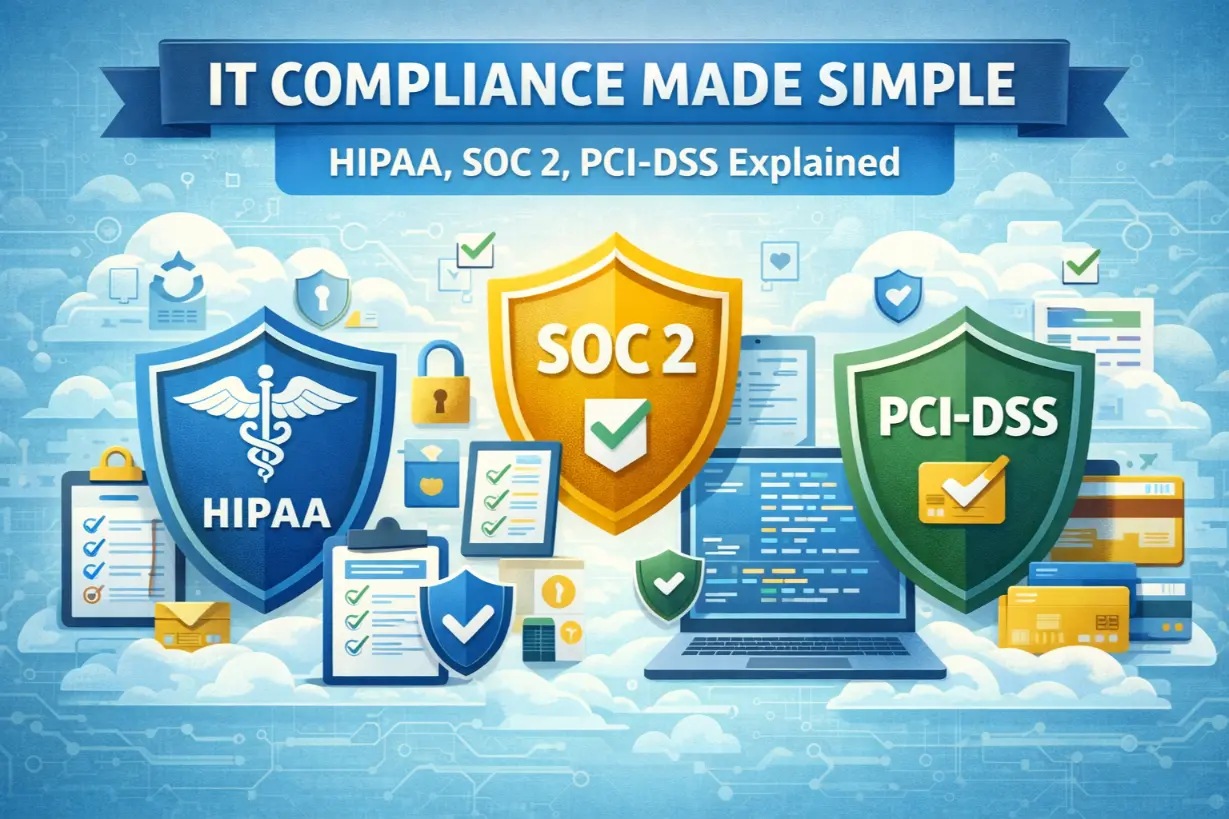
This article simplifies IT compliance by breaking down HIPAA, SOC 2, and PCI-DSS in plain language, explaining who they apply to, what they require, and how managed IT services make compliance achievable instead of intimidating.
What Is IT Compliance?
IT compliance means aligning your technology, security, and operational practices with regulatory or industry standards designed to protect data, systems, and customers.
Compliance focuses on:
- Data confidentiality
- System integrity
- Availability
- Accountability
It’s about proving you take security seriously — not just saying it.
Why IT Compliance Matters to the Business
Non-compliance isn’t just risky — it’s expensive.
Consequences include:
- Fines and penalties
- Legal exposure
- Lost contracts
- Reputation damage
- Increased cyber risk
Compliance failures often surface after a breach, when it’s too late.
HIPAA Explained (Healthcare Data Protection)
Who HIPAA Applies To
HIPAA applies to:
- Healthcare providers
- Clinics and practices
- Medical billing companies
- Any business handling protected health information (PHI)
If you touch patient data — HIPAA applies.
What HIPAA Requires From IT
HIPAA focuses on safeguarding PHI through:
- Access controls
- Audit logs
- Data encryption
- Backup and recovery
- Incident response
HIPAA is less about specific tools and more about reasonable safeguards.
Common HIPAA IT Mistakes
- Unencrypted devices
- Shared user accounts
- No audit logging
- Poor backup practices
- No breach response plan
Most HIPAA violations stem from basic IT gaps.
SOC 2 Explained (Trust & Transparency)
Who SOC 2 Applies To
SOC 2 applies to:
- SaaS providers
- Cloud service companies
- Technology vendors
- Any business handling customer data
SOC 2 is often required by customers — not regulators.
SOC 2 Trust Service Criteria
SOC 2 focuses on five areas:
- Security
- Availability
- Processing Integrity
- Confidentiality
- Privacy
Companies choose which criteria apply.
Why SOC 2 Is a Competitive Advantage
SOC 2 compliance:
- Builds customer trust
- Accelerates sales cycles
- Demonstrates maturity
- Reduces vendor risk concerns
It’s proof — not promises.
PCI-DSS Explained (Payment Card Security)
Who PCI-DSS Applies To
PCI-DSS applies to any business that processes, stores, or transmits credit card data.
This includes:
- Retailers
- E-commerce businesses
- Hospitality
- Professional services
Size doesn’t matter — card data does.
What PCI-DSS Requires
PCI-DSS focuses on:
- Network segmentation
- Secure payment systems
- Access control
- Vulnerability management
- Monitoring and logging
Failure often leads to fines and higher transaction fees.
Why Compliance Is So Hard Without Managed IT
Compliance requires:
- Technical controls
- Documentation
- Monitoring
- Testing
- Evidence
Most internal teams lack the time and expertise to manage this consistently.
How Managed IT Simplifies Compliance
Managed IT providers operationalize compliance.
1. Secure Baseline Configuration
MSPs standardize:
- Device security
- Network controls
- Access management
Consistency supports compliance.
2. Continuous Monitoring & Logging
Compliance requires proof.
Managed IT enables:
- Centralized logging
- Alerting
- Audit trails
Evidence is always available.
3. Patch & Vulnerability Management
Unpatched systems violate nearly every standard.
MSPs ensure:
- Timely updates
- Vulnerability remediation
- Documented processes
4. Backup, Recovery & Availability Controls
Compliance standards demand resilience.
Managed IT delivers:
- Tested backups
- Recovery plans
- Uptime assurance
5. Documentation & Policy Support
Auditors want documentation.
MSPs help maintain:
- Policies
- Procedures
- System inventories
- Risk assessments
Compliance vs Security: Not the Same Thing
Compliance means meeting minimum standards.
Security means managing real-world risk.
Managed IT focuses on both — because compliance alone doesn’t stop breaches.
Common Compliance Myths
❌ “We’re too small to be audited”
❌ “Compliance guarantees security”
❌ “It’s just paperwork”
These assumptions lead to failures.
Signs Your Business Is at Compliance Risk
- No documented policies
- No logging or monitoring
- Shared accounts
- No risk assessments
- No incident response plan
These are red flags.
Compliance Is a Journey, Not a Project
Regulations evolve. Threats change. Businesses grow.
Compliance must be:
- Continuous
- Reviewed
- Updated
Managed IT keeps compliance aligned with reality.
Compliance Protects More Than Data
IT compliance protects:
- Customers
- Revenue
- Reputation
- Business longevity
When handled correctly, compliance becomes a business enabler — not a burden.
Managed IT transforms compliance from a stressful obligation into a structured, manageable process that supports growth instead of slowing it down.
Unsure where your business stands on IT compliance?
A compliance readiness assessment can identify gaps before auditors — or attackers — do.