Your Network Is the Foundation of Everything
Every application, every login, every file transfer, every cloud service relies on the network.
When networks are designed poorly:
- Performance suffers
- Security weakens
- Downtime increases
- User frustration grows
Yet network design is often treated as a one-time setup — not a strategic discipline.
This article explains modern network design best practices, why legacy designs fail today’s workloads, and how managed IT services architect networks for performance, reliability, and security simultaneously.
Why Network Design Matters More Than Ever
Modern networks support:
- Cloud-first applications
- Remote and hybrid work
- Real-time collaboration
- Security inspection
A flat, outdated network cannot handle modern demands.
The Hidden Costs of Poor Network Design
Bad network design leads to:
- Slow applications
- Bottlenecks
- Security blind spots
- Difficult troubleshooting
These costs compound daily.
Core Principles of Modern Network Design
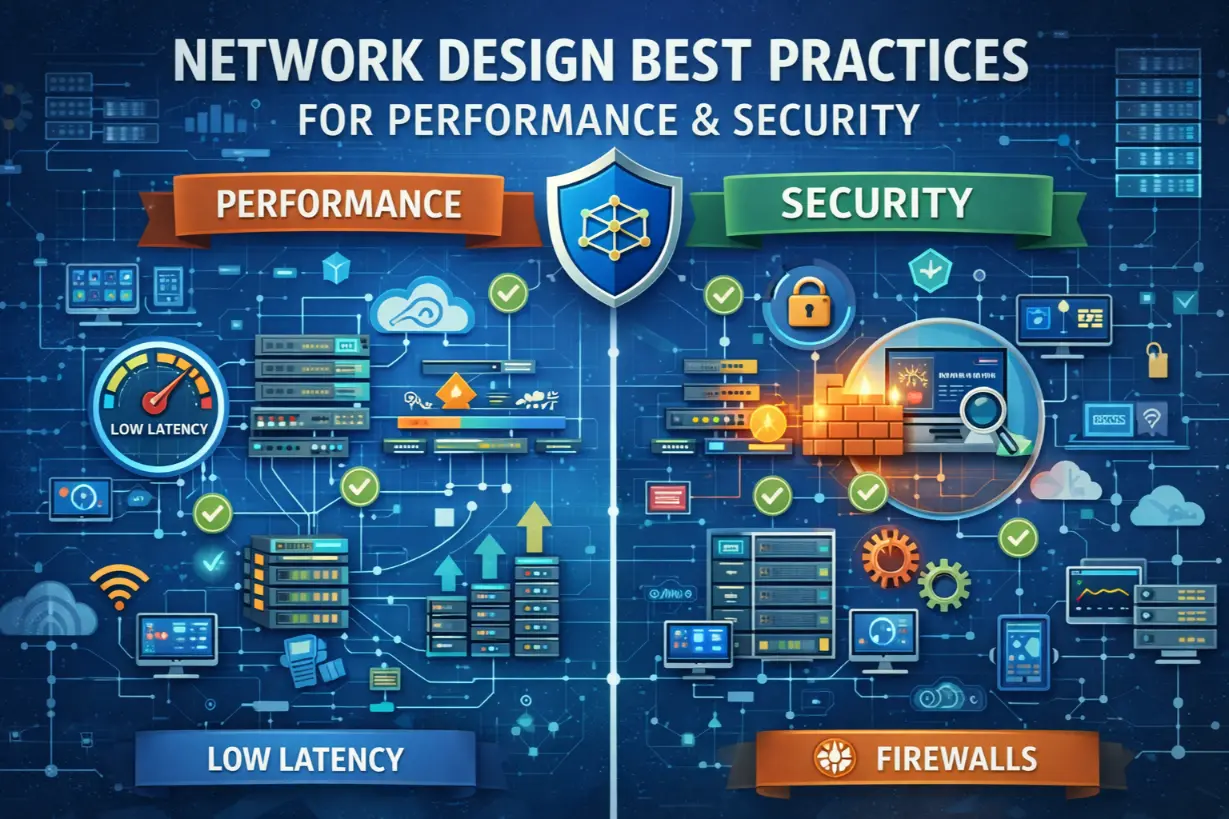
1. Design for Performance and Security Together
Performance without security is dangerous.
Security without performance is unusable.
Modern design balances both.
2. Assume Growth and Change
Networks must scale easily.
Designs should anticipate:
- More users
- More devices
- More bandwidth
- More cloud traffic
3. Eliminate Single Points of Failure
Redundancy is not optional.
Network Segmentation: The Most Important Design Choice
Network segmentation divides networks into logical zones.
Benefits include:
- Improved security
- Reduced blast radius
- Better traffic control
Flat networks allow attackers to roam freely.
Common Segmentation Zones
- User networks
- Server networks
- Guest networks
- IoT and device networks
- Management networks
Segmentation limits damage.
Firewall Placement and Strategy
Firewalls are not just perimeter devices anymore.
Modern networks use:
- Perimeter firewalls
- Internal firewalls
- Cloud security controls
Traffic is inspected everywhere.
Zero Trust and Network Design
Zero Trust changes network assumptions.
Networks should:
- Treat all traffic as untrusted
- Validate identity continuously
- Limit lateral movement
Access is identity-driven — not location-based.
WAN and Internet Connectivity Design
Internet reliability affects everything.
Best practices include:
- Redundant ISPs
- Automatic failover
- Load balancing
Single connections create business risk.
Cloud Traffic Optimization
Cloud-first businesses require:
- Direct cloud routing
- Secure access service edge (SASE)
- Reduced backhauling
Cloud performance depends on network design.
Wireless Network Design Best Practices
Wi-Fi is no longer “secondary.”
Design considerations include:
- Capacity planning
- Interference mitigation
- Secure authentication
- Guest isolation
Poor Wi-Fi impacts productivity instantly.
Network Monitoring by Design
Monitoring should be built in.
Managed IT ensures:
- Traffic visibility
- Performance baselines
- Alerting thresholds
You can’t optimize what you can’t see.
Security Built Into Network Architecture
Security should not be bolted on.
Design includes:
- Intrusion detection
- Traffic inspection
- Network access control
- Logging
Architecture supports security.
Designing for Remote and Hybrid Work
Remote access requires:
- Secure identity verification
- Device trust
- Minimal network exposure
VPN-only designs are outdated.
Network Design and Compliance
Compliance frameworks require:
- Segmentation
- Logging
- Access control
Good design simplifies audits.
Common Network Design Mistakes
- Flat networks
- Overloaded firewalls
- No redundancy
- Poor documentation
- Reactive changes
These create instability.
How Managed IT Approaches Network Design
Managed IT treats networks as strategic assets.
Assessment & Planning
MSPs assess:
- Current performance
- Risk exposure
- Growth plans
Design aligns with business needs.
Standardized Architectures
MSPs use:
- Proven reference designs
- Vendor best practices
- Scalable models
Consistency improves reliability.
Ongoing Optimization
Networks are:
- Monitored continuously
- Tuned proactively
- Adjusted as needs change
Design is not static.
Network Design and Downtime Prevention
Proper design prevents:
- Bottlenecks
- Cascading failures
- Prolonged outages
Architecture determines resilience.
Network Documentation Matters
Documentation includes:
- Diagrams
- IP schemas
- Firewall rules
Documentation accelerates troubleshooting.
Signs Your Network Design Is Holding You Back
- Slow cloud apps
- Frequent disconnects
- Security concerns
- Difficult troubleshooting
These signal architectural issues.
Network Design as a Competitive Advantage
Well-designed networks:
- Improve productivity
- Enhance security
- Support growth
- Reduce downtime
Networks either enable or restrict progress.
Leadership’s Role in Network Strategy
Leadership must:
- Invest proactively
- Support modernization
- Avoid reactive patchwork
Network design reflects leadership priorities.
Networks Are Never “Done”
Networks evolve as businesses evolve.
Designing for performance and security is an ongoing process — not a one-time project.
Managed IT services ensure networks are:
- Scalable
- Secure
- Monitored
- Optimized
When networks are designed intentionally, everything else works better.
Not sure if your network design is helping or hurting your business?
A network architecture and performance assessment can uncover bottlenecks and security gaps.