IT Assets Are More Than Equipment — They’re Risk and Cost Centers
Most businesses think about IT assets only when something breaks.
A laptop fails. A server reaches end-of-life. A firewall can’t keep up. Suddenly, purchases are rushed, budgets are blown, and security risks emerge.
In reality, every IT asset has a lifecycle — and managing that lifecycle proactively is one of the most effective ways to control costs, reduce risk, and scale operations smoothly.
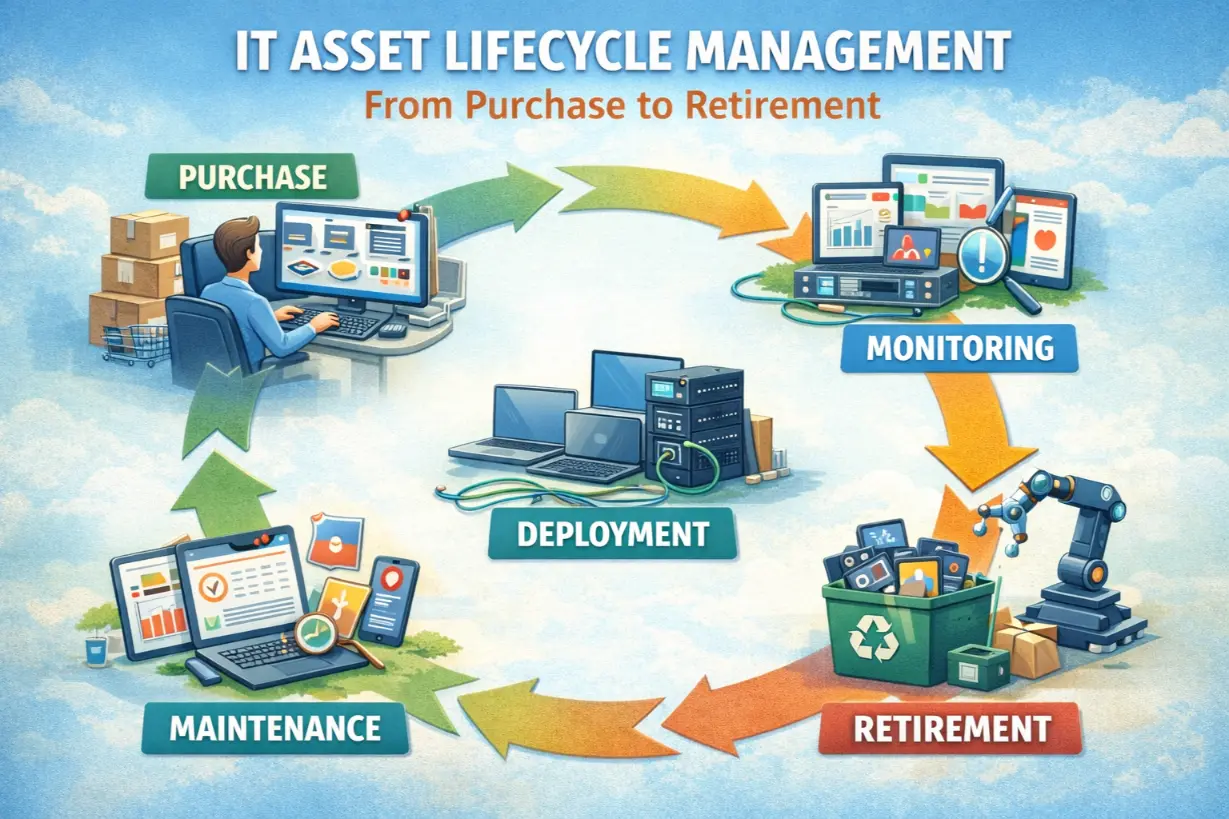
This article breaks down IT asset lifecycle management from purchase to retirement, and explains how managed IT services turn hardware from a liability into a strategic advantage.
What Is IT Asset Lifecycle Management?
IT Asset Lifecycle Management (ITALM) is the structured process of managing technology assets through every phase of their life, including:
- Planning & procurement
- Deployment & configuration
- Maintenance & optimization
- Refresh & replacement
- Secure retirement & disposal
It ensures assets deliver value — without introducing unnecessary risk.
Why IT Asset Lifecycle Management Matters
Without lifecycle management:
- Assets age unpredictably
- Security gaps emerge
- Costs spike unexpectedly
- Downtime increases
With lifecycle management:
- Spending is predictable
- Performance remains consistent
- Risk is minimized
Assets become manageable instead of chaotic.
Phase 1: Planning & Procurement
Buying the Right Asset Matters
Not all hardware is created equal.
Lifecycle planning considers:
- Business requirements
- Performance needs
- Security capabilities
- Warranty and support lifespans
Cheap purchases often cost more long-term.
Standardization Reduces Complexity
Managed IT providers standardize:
- Device models
- Operating systems
- Configurations
Standardization simplifies support and improves reliability.
Phase 2: Deployment & Configuration
Secure-by-Default Setup
Deployment should include:
- Encryption
- Endpoint protection
- MFA enforcement
- Policy compliance
Security must be enabled before the device is used.
Documentation From Day One
Assets are documented with:
- Serial numbers
- User assignments
- Configuration details
- Warranty timelines
Visibility starts immediately.
Phase 3: Maintenance & Optimization
Proactive Maintenance Extends Asset Life
Managed IT ensures:
- Regular updates
- Patch compliance
- Performance monitoring
Problems are addressed early.
Monitoring Performance & Health
Monitoring reveals:
- Aging components
- Capacity constraints
- Performance degradation
Decisions are data-driven — not reactive.
Phase 4: Refresh & Replacement Planning
End-of-Life Isn’t a Surprise
Every asset has:
- Manufacturer support timelines
- Performance limits
- Security relevance
Managed IT tracks:
- Warranty expiration
- OS support end dates
- Hardware age
Refreshes are planned — not emergency purchases.
Budget Forecasting & Cost Control
Lifecycle planning allows:
- Predictable refresh cycles
- Budget smoothing
- Reduced capital shocks
IT spending becomes strategic.
Phase 5: Secure Retirement & Disposal
Data Security During Disposal
Retired assets still contain data.
Secure disposal includes:
- Certified data wiping
- Physical destruction if required
- Chain-of-custody documentation
Improper disposal creates breach risk.
Compliance & Environmental Responsibility
Proper disposal supports:
- Regulatory requirements
- Environmental standards
- Corporate responsibility
Managed IT ensures compliance.
Common IT Asset Management Mistakes
- No centralized inventory
- Buying ad-hoc hardware
- Running assets past end-of-life
- No disposal procedures
- No refresh planning
These mistakes compound risk.
IT Asset Lifecycle Management and Security
Aging assets:
- Miss patches
- Lack modern protections
- Fail compliance checks
Lifecycle management is a security control, not just an accounting practice.
How Managed IT Improves Asset Lifecycle Management
Managed IT providers deliver:
- Centralized asset tracking
- Lifecycle reporting
- Standardized procurement
- Secure deployment
- Planned refresh cycles
Assets are managed proactively.
Asset Lifecycle Management for Remote & Hybrid Work
Distributed work increases asset complexity.
Managed IT tracks:
- Remote devices
- Lost or stolen assets
- Compliance status
Control is maintained — regardless of location.
Financial Benefits of Lifecycle Management
Lifecycle management reduces:
- Emergency purchases
- Downtime costs
- Over-provisioning
- Security incidents
It optimizes total cost of ownership (TCO).
IT Asset Lifecycle and Compliance
Auditors often ask:
- What assets exist?
- Who uses them?
- How are they secured?
- How are they retired?
Lifecycle documentation supports compliance effortlessly.
Signs Your IT Asset Management Is Weak
- No accurate inventory
- Surprise hardware failures
- Security gaps on older devices
- Unplanned capital expenses
These are symptoms of unmanaged lifecycle risk.
Asset Lifecycle Management Enables Growth
When assets are planned:
- Scaling is smoother
- Onboarding is faster
- Performance stays consistent
Growth doesn’t strain infrastructure.
Assets Should Never Be a Surprise
IT assets shouldn’t:
- Fail unexpectedly
- Introduce hidden risk
- Blow up budgets
With proper lifecycle management, assets are predictable, secure, and aligned with business goals.
Managed IT services ensure technology assets are managed intentionally — from purchase to retirement — so businesses can grow confidently without IT chaos.
Unsure how much risk and cost are hidden in your current IT assets?
An IT asset lifecycle assessment can uncover gaps before they become expensive problems.